
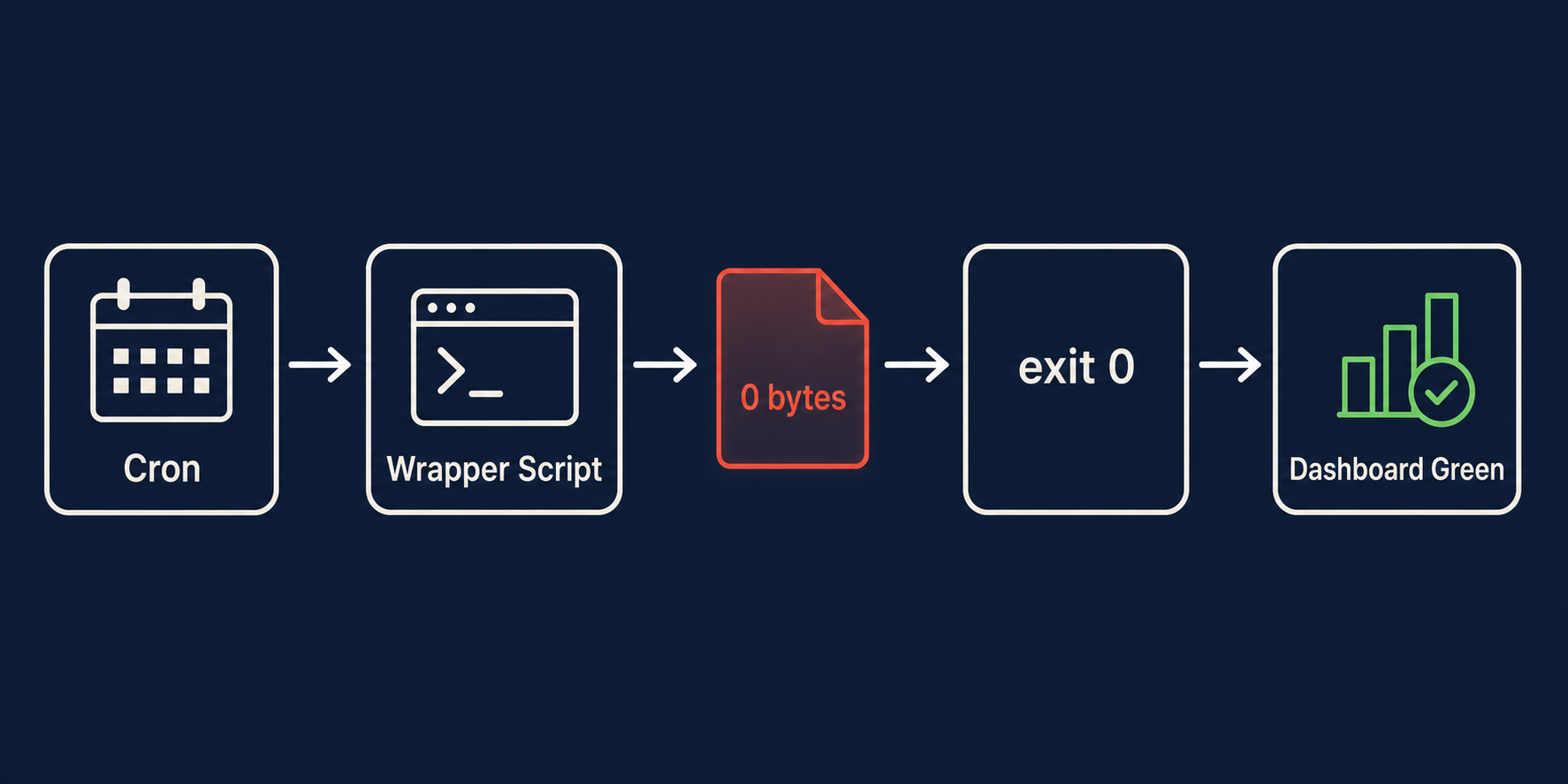
You set up a cron job — let’s say a database backup. It runs every night at 2 AM. The exit code is always 0. The dashboard is green. Six months go by. Then one day you need to restore, and the backup file is 0 bytes. The job never failed. It just never actually worked.
This is the exit 0 lie, and it’s the most dangerous pattern in production systems because everything looks healthy until it isn’t. The monitoring says green. The logs say completed. The metrics say the job ran at 02:00:03 and finished at 02:00:04. All true. All meaningless. The cron daemon executed the command, the shell returned 0, and nobody checked whether the command produced anything of value.
Cron is a scheduler, not a validator. It guarantees that your command runs. It does not guarantee that your command succeeds. That distinction is where production incidents hide. The UptimeRobot 2026 AI Agent Monitoring report found that continuity failures — loops, missed handoffs, and hidden workflow failures — are the top reliability gap in production agent systems. The same pattern applies to classic cron: exit codes without semantic meaning create false confidence until the moment you actually need the output. [Source: https://uptimerobot.com/knowledge-hub/monitoring/ai-agent-monitoring-best-practices-tools-and-metrics/]
Here are the five patterns that make cron jobs lie, and what to do about each one.
Pattern 1 — The Empty Exit
The setup is almost always the same: a wrapper shell script that calls the real work, pipes the output somewhere, and exits. The wrapper succeeds. The real work produces nothing. Exit 0.
| |
The problem has two layers. First, 2>/dev/null discards the only signal that something went wrong. Second, the > redirect truncates and creates the output file even if pg_dump writes zero bytes. The backup file exists, it has a recent timestamp, and it’s 0 bytes. Nobody notices because nobody checks file size.
This pattern gets worse in wrapper scripts that add their own error handling:
| |
The set -e flag only triggers on non-zero exit codes. If the underlying tool exits 0 but produces error messages on stderr, the strict mode is useless. This is the default behavior of tools like rsync --partial, curl -f on some error classes, and any script that ends with exit 0 unconditionally.
The detection: check output size. A backup file under 1 KB at 2 AM is not a backup. A log entry with zero new lines is not progress. An stdout of zero length after a job that normally produces 200 lines of output is a failure, even if the exit code says otherwise.
Pattern 2 — The Phantom Process
Concurrent-run protection is standard practice: write a PID file, check for it on entry, exit if it exists. Except the previous process died — OOM-killed, segfaulted, or the server rebooted — and the PID file is still sitting in /var/run/myjob.pid.
Cron sees the PID file, assumes the job is already running, and skips execution. The job hasn’t run in days. The dashboard says “concurrent run prevented” or shows nothing at all. No error. No alert. Just a gap in data nobody notices until they look for it.
The stale PID file is one of the most well-documented cron failure modes. [Source: https://www.baeldung.com/linux/run-cron-job-only-if-not-running] The standard fix is to check whether the PID in the file corresponds to a running process:
| |
The kill -0 test checks process existence. The /proc/PID/cmdline check confirms it’s actually your job and not some reused PID from an unrelated process. On container restarts or VM reboots, PIDs recycle fast — PID 1234 might have been your cron job before reboot and is now an nginx worker after. Without the cmdline check, you falsely skip execution based on a zombie PID.
After a Kubernetes pod restart, the entire /var/run directory is fresh — but if your PID file lives on a mounted volume that persists across restarts, the stale file problem returns immediately. This is why stateless concurrency checks (using lock files with timeouts, not PID files) are more reliable in containerized environments.
Pattern 3 — The Self-Approving Health Check
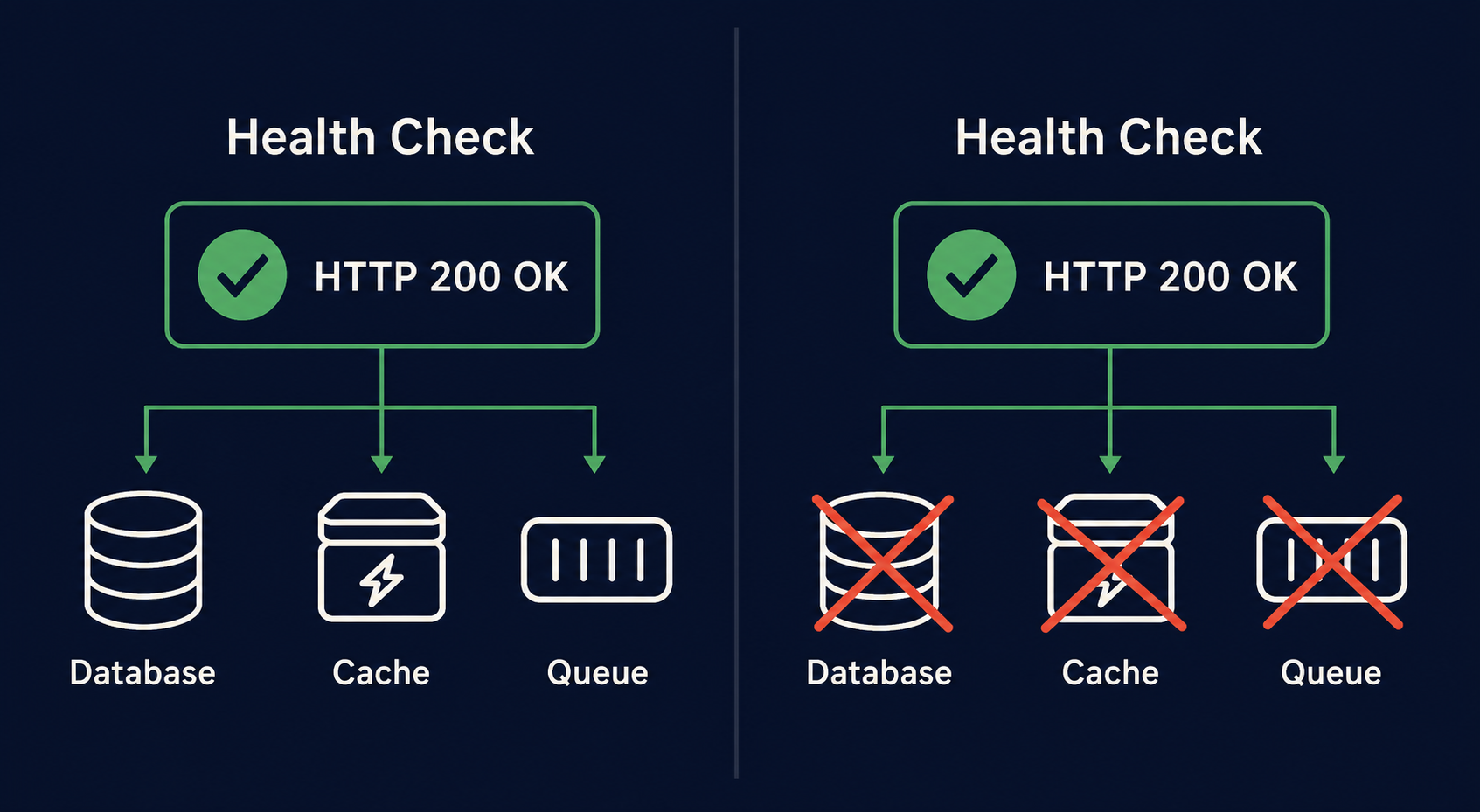
The health check endpoint returns 200. The monitoring system is happy. The cron job that hits the endpoint reports success. But the health check only verifies that the service process is up and listening on the port. It doesn’t verify that the service can reach its database, its storage backend, its message queue, or any external dependency.
This pattern is endemic in microservice architectures. The /health endpoint returns { "status": "ok" } even when every downstream dependency is returning connection timeouts. The service is “healthy” in the sense that it hasn’t crashed. It’s completely non-functional in the sense that it can’t serve any request.
| |
A real health check tests the full dependency chain. If the service needs PostgreSQL, the health endpoint should attempt a trivial query (SELECT 1). If it needs S3, it should attempt a HEAD request on a known bucket. The difference between a liveness check (process is up) and a readiness check (process can serve traffic) is well-established in Kubernetes, but cron-based monitors rarely make the distinction.
The result: a cron job that runs every 5 minutes, always exits 0, and provides zero actual monitoring. It’s a no-op that looks like a safety net.
Pattern 4 — The No-Op Rotation
Logrotate runs. It reads its config. It checks the log file. It performs the rotation. It exits 0. Everything worked. Except the original log file was deleted by an application restart 20 minutes ago, so logrotate rotated a file that no longer exists — or it rotated a 0-byte file that the application hasn’t written to yet.
The missingok directive makes logrotate silently skip files that don’t exist instead of reporting an error. [Source: https://serverfault.com/questions/643184/how-to-let-logrotate-skip-non-existent-and-empty-files] Combined with notifempty, which skips rotation of empty files, logrotate can complete its run having done absolutely nothing:
| |
If the application crashes and doesn’t recreate its log file, missingok means logrotate won’t complain. If the application starts but hasn’t written any requests yet, notifempty means logrotate skips the file. If disk pressure caused the log to be truncated externally, logrotate happily rotates a 0-byte file into your archive.
The postrotate script ending in || true guarantees exit 0 even if the reload fails. The entire logrotate run exits 0. The log archive gradually fills with empty .gz files. When you need those logs for an incident investigation, you find 30 days of 20-byte gzip headers containing no data.
Detection: check the size of rotated files. A compressed log file under 100 bytes is not a log. Check that the active log file exists and has a recent mtime. Check that the postrotate command actually succeeded by inspecting its exit code before the || true swallows it.
Pattern 5 — The Cascading Silence
This is the most insidious pattern because it involves multiple jobs, each independently “succeeding,” while the system as a whole produces garbage.
Job A runs at midnight: it exports a data snapshot from the database to /data/snapshot.csv. Job A exits 0. But the database was in read-only mode due to a failover, and the snapshot file contains only headers — no rows.
Job B runs at 1 AM: it processes the snapshot, generates aggregated metrics, and writes them to the metrics store. Job B reads the 2-line header-only CSV, produces zero output, writes zero metrics, and exits 0.
Job C runs at 2 AM: it reads the metrics store, finds nothing new, sends an empty daily report email, and exits 0.
Three jobs. Three exit 0s. One broken data pipeline. The dashboard shows the daily report was “sent.” The metrics store shows no new data, but nobody alerts on zero metrics because zero is a valid value for some metrics. The snapshot file exists, it has a recent timestamp, and it’s 48 bytes.
The cascading silence is especially dangerous because each individual job is correct in isolation. Job B correctly processes whatever input it receives. Job C correctly reports whatever metrics exist. The failure propagates silently through the chain.
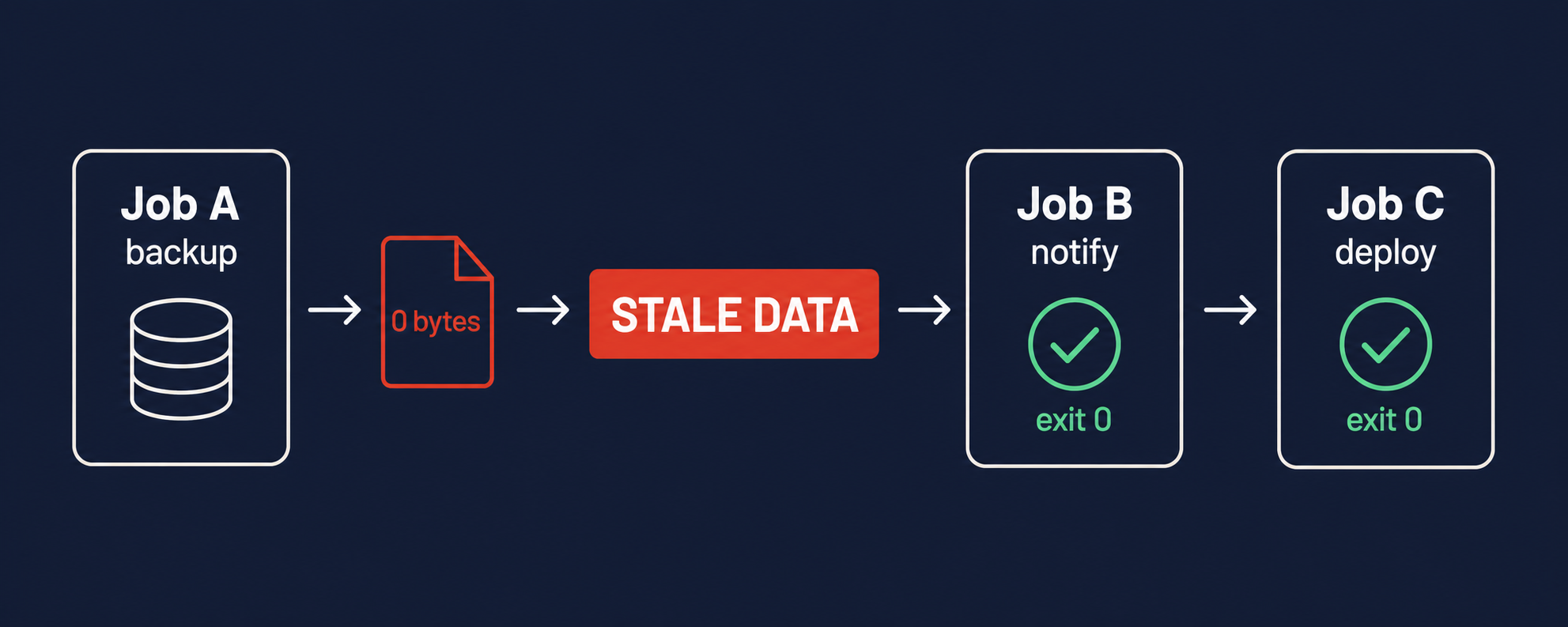
Detecting this requires validating output at each stage. Job A must check that the snapshot has more than header rows. Job B must check that it produced non-zero metrics. Job C must check that the report contains actual data before sending. Without these checks, the entire pipeline is a Rube Goldberg machine that runs perfectly while producing nothing.
Building a Cron Lie Detector
You don’t need a SaaS product to catch these patterns. You need three things in every cron script: strict mode, output verification, and a dead man’s switch.
Strict mode is the baseline. Every cron script should start with:
| |
-e exits on any command failure. -u catches undefined variable references. -o pipefail makes a pipeline fail if any command in it fails. Without pipefail, cat missing_file | grep pattern exits 0 because grep succeeds on empty input. [Source: https://www.namehero.com/blog/how-to-use-set-e-o-pipefail-in-bash-and-why/]
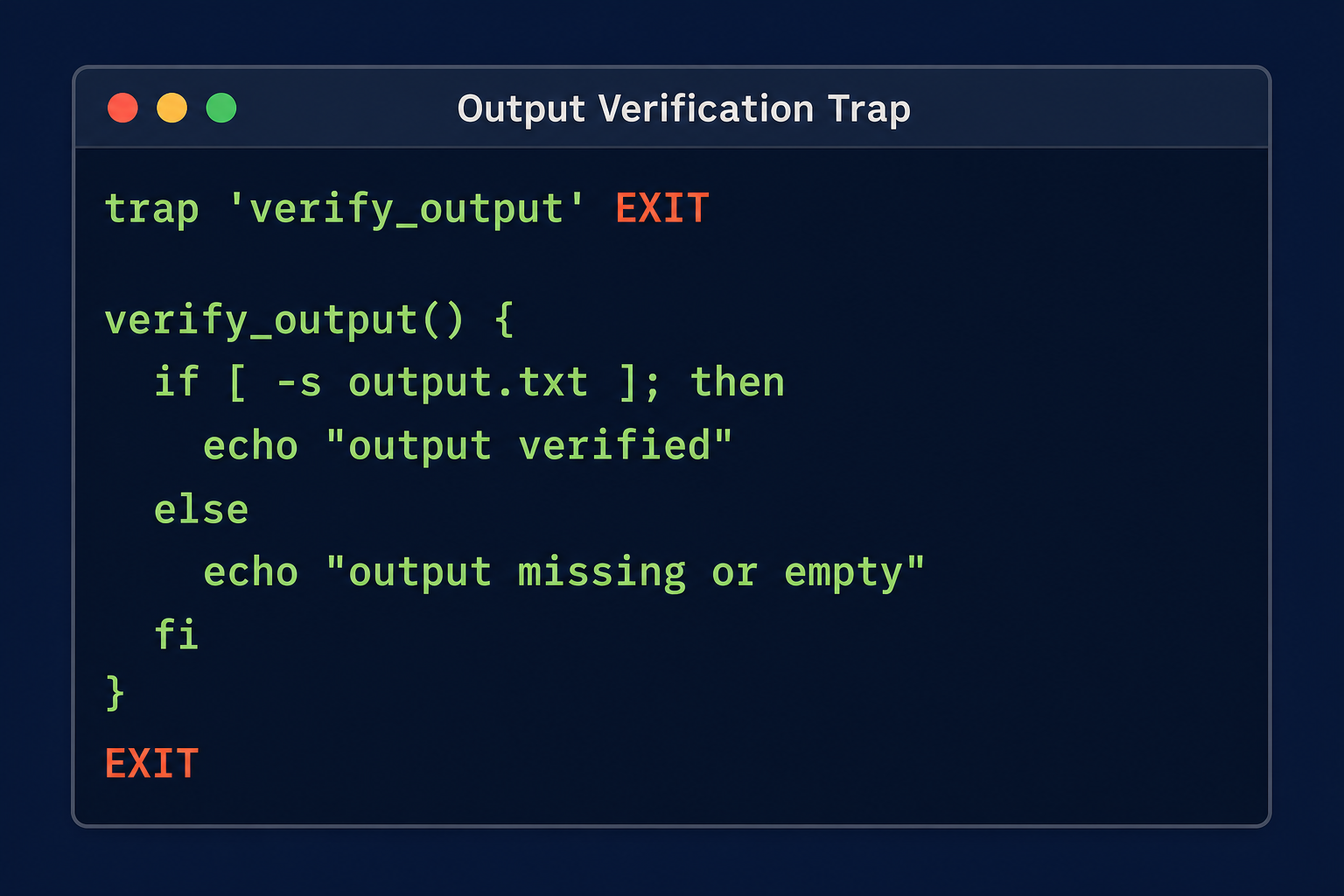
Output verification is the pattern that catches the empty exit. After the main work completes, verify the output is non-trivial:
| |
The stat fallback handles both macOS (-f%z) and Linux (-c%s). The minimum size threshold catches the 0-byte case and also catches suspiciously small outputs that indicate partial failures. Setting MIN_SIZE per job is a one-time decision: your database backup is 4 GB, so anything under 100 MB is wrong. Your daily CSV export is 50 MB, so anything under 1 MB is wrong.
Dead man’s switches catch the “job never ran at all” case. Services like Healthchecks.io and Dead Man’s Snitch implement this: your job pings an external endpoint on success. If the ping doesn’t arrive within the expected window, the service alerts you. This catches cron daemon issues, server reboots that don’t restore crontab, and any situation where the job simply never executes.
| |
If the job fails (set -e fires), it never reaches the curl and the healthcheck service alerts after the grace period. If the server crashes, the ping never arrives. If cron itself is misconfigured and doesn’t run the job, same result. The dead man’s switch catches every failure mode except one: the job runs, exits 0, pings success, but produced nothing useful. That’s what output verification is for.
What You Should Do Monday Morning
Here is an actionable checklist. Pick the highest-impact items first.
Audit every cron job for
set -euo pipefail. If a script doesn’t start with strict mode, it’s lying to you by default. Add it. Fix the breaks it exposes. The breaks were always there; strict mode just makes them visible.Add output verification to backup and export jobs. Check file size after every job that writes a file. Set a minimum size threshold. Delete the output file if verification fails — leaving a 0-byte file is worse than no file, because it masks the failure next time someone checks.
Replace PID-file concurrency checks with
flock. Theflockutility provides kernel-enforced file locking that auto-releases when the process dies. No stale PIDs. No cmdline checks. One line:1* * * * * flock -n /var/lock/myjob.lck /usr/local/bin/myjobThe
-nflag makes flock exit immediately if the lock is held, preventing concurrent runs. If the previous process crashed, the lock releases automatically. [Source: https://www.baeldung.com/linux/run-cron-job-only-if-not-running]Upgrade health check endpoints to test dependencies. A
/healthendpoint that only checks the process is a liveness probe. Rename it to/healthzor/pingfor k8s liveness. Create a separate/readyendpoint that tests database connectivity, storage access, and cache availability. Point your cron monitors at/ready.Add dead man’s switches to every scheduled job. Self-host Healthchecks.io (open source, Docker image available) or use the SaaS version. Add a ping-on-success to each job. Set the expected schedule and a grace period. If the ping doesn’t arrive, you get alerted. This takes 10 minutes per job.
Review logrotate configs for
missingok+notifemptycombinations. These directives are safe for optional logs, but dangerous for logs you actually need. Removemissingokfrom critical log paths. Addsizedirectives to catch when logrotate skips rotation because the file hasn’t grown enough.Add chain validations to multi-job pipelines. At each stage, the job must verify its input. If Job B receives an empty snapshot from Job A, Job B must exit non-zero with a clear error message. Do not let downstream jobs silently operate on empty or stale data.
The Five Patterns at a Glance
| Pattern | Symptom | Root Cause | Detection | Fix |
|---|---|---|---|---|
| Empty Exit | Exit 0, 0-byte output | 2>/dev/null swallows errors; redirect creates empty file | Check output file size against minimum threshold | set -euo pipefail + post-run size verification |
| Phantom Process | Job skipped, data gap | Stale PID file after crash/reboot | Check /proc/PID/cmdline matches expected process | Replace PID files with flock |
| Self-Approving Health Check | HTTP 200 while dependencies down | Health endpoint checks only liveness, not readiness | Hit dependency-aware /ready endpoint | Add DB/cache/storage checks to health endpoint |
| No-Op Rotation | Empty .gz files in archive | missingok + notifempty silently skip | Check rotated file sizes; verify active log exists | Remove missingok for critical logs; add size guards |
| Cascading Silence | Full pipeline exits 0, garbage output | Upstream empty output propagated downstream | Validate output at each pipeline stage | Each job rejects empty/stale input with non-zero exit |
Further Reading
- Why Cron Jobs Fail Silently in Production — CloudRay’s deep dive on the
set -euo pipefailbaseline and why redirect patterns are the root of most silent cron failures. - Your Crontab Is Silently Failing — The 5 Silent Killers of VPS-Based Cron Jobs — Practical walkthrough of environment variable issues, PATH differences, and shell defaults that make cron jobs fail silently on VPS infrastructure.
- How to Monitor Cron Jobs in 2026 — Comparison of monitoring approaches from simple log shipping to dead man’s switches, with specific tool recommendations.