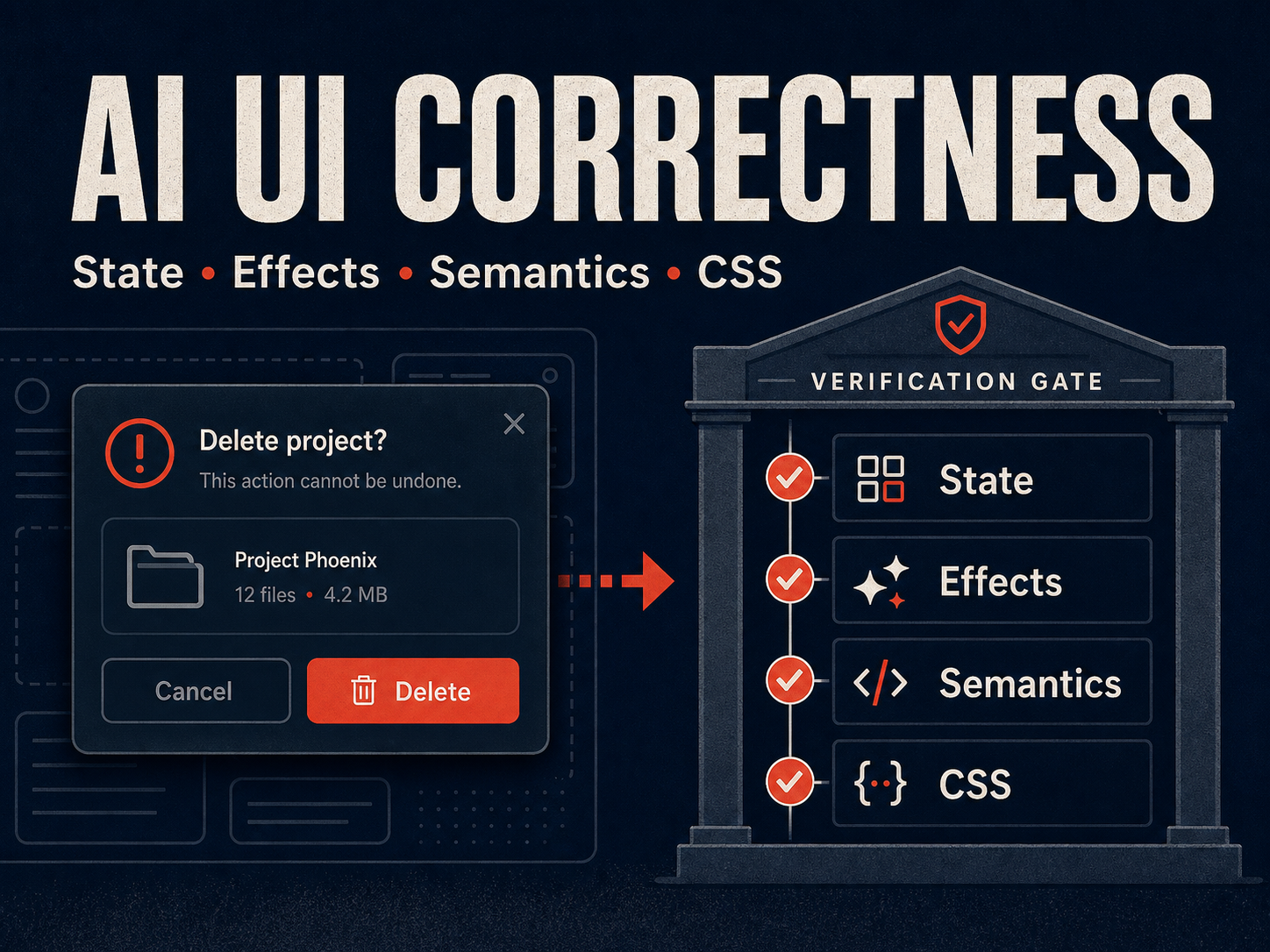
A developer asks an AI agent to build a settings modal. Thirty seconds later, there is a modal on screen. It opens when you click a button. It closes when you click the backdrop. It looks clean. The developer merges the pull request.
Two weeks later, a bug report arrives: the modal traps keyboard focus when you tab away. The loading spinner never stops for users on slow connections. If you open the modal, navigate away, and come back, there are two of them. The settings form inside it submits stale state because the useEffect dependency array is wrong.
The modal rendered. The modal was wrong.
This is the core problem with AI-generated frontend code in 2026. The tools produce output that looks correct — pixels in the right place, interactions that fire on the right event — and that visual correctness creates a false sense of trust. Rendering is the easiest part of frontend engineering. Correctness is the hard part, and correctness is exactly what AI-generated UI does not deliver by default.
The Rendering Fallacy
Frontend correctness is not about whether code renders. It is about four things:
- State flow — every transition between states is explicit, enumerable, and provably exhaustive.
- Side-effect lifecycle — every effect has a setup path and a teardown path, and the teardown always runs.
- Type modeling — the data flowing through the component matches the shape the component expects at runtime.
- Semantic structure — the HTML communicates the right meaning to assistive technology, not just the right pixels to a sighted user.
A screenshot review catches none of these. A visual diff catches none of these. The generated modal looks identical whether or not its useEffect cleans up its event listener — until the user reports a memory leak in production.
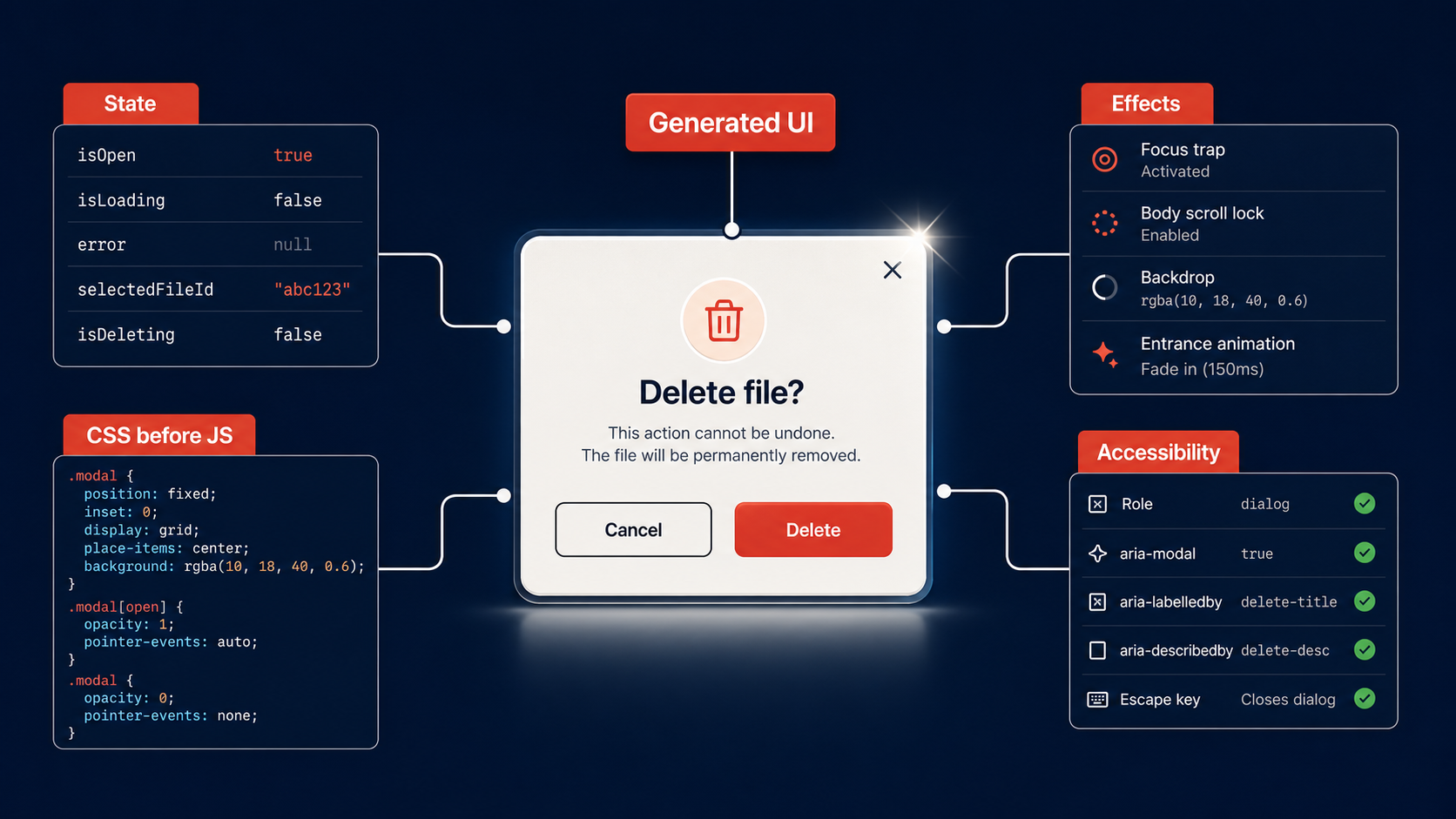
The industry’s current review workflow is built for human-authored code, where the author carried intent into every line. A human who wrote a modal also thought about focus management because they had to type the focus-trap logic themselves. An AI agent generates the focus-trap logic because it appeared in the training data near the word “modal” — not because it reasoned about the accessibility tree.
This distinction matters. When you review a colleague’s modal, you are checking whether their mental model matches yours. When you review a generated modal, there is no mental model to check. You are auditing stochastic output against a specification that was never written down.
State Transitions AI Cannot Prove
Ask any AI agent to build a form with async submission. You will get something like this:
| |
This compiles. It renders. It handles the happy path and the error path. It looks complete.
Now answer these questions:
- What happens if the user double-clicks the submit button before the first request resolves?
- What happens if the component unmounts during the
await? - What state is the form in if the network request succeeds but the response parsing throws?
- Is
loading: truewitherror: nulla valid state, or should they be mutually exclusive? - Can the user edit the form fields while
loadingis true? Should they be able to?
The generated code does not answer these questions because the generation process optimized for “produce a form that submits data,” not “prove the state machine is sound.” The boolean flags — loading, error — create an implicit state machine with 2³ = 8 possible combinations, and only 3 of them are meaningful. The other 5 are bugs waiting to happen.
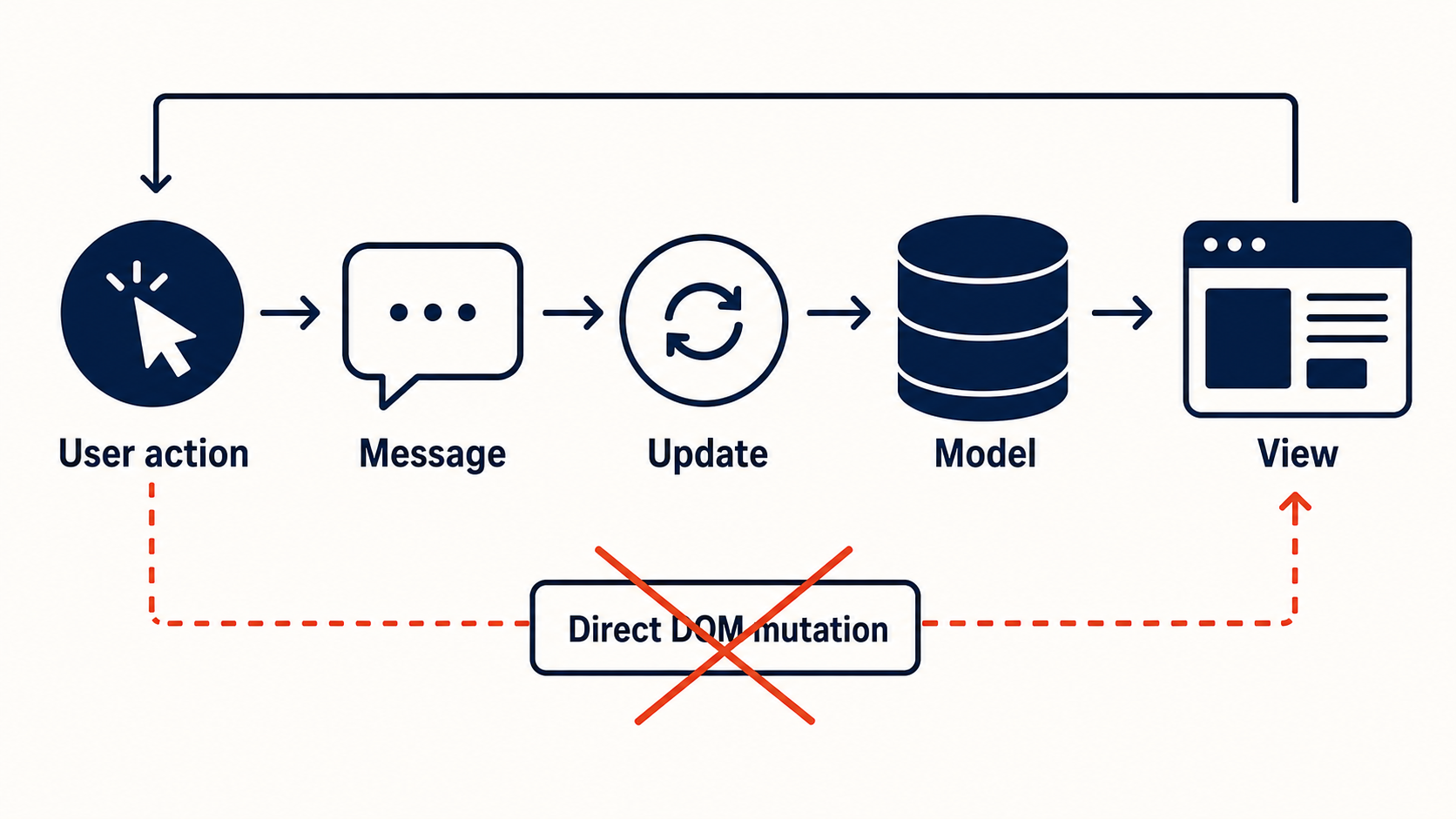
The fix is not better prompting. The fix is explicit state modeling:
| |
A discriminated union makes invalid states unrepresentable. The TypeScript compiler enforces exhaustiveness at every transition. When the AI generates code against this type, it physically cannot produce loading: true with error: "Network failure" because the union does not allow it.
This is the pattern: you do not fix generated code by reviewing it harder. You fix it by constraining the space of code that can be generated in the first place.
Effect Cleanup: The Silent Leak
The most common production bug in AI-generated React code is missing effect cleanup. The pattern is so consistent it is almost predictable:
| |
The resize listener is never removed. The fetch promise resolves after unmount and calls setData on an unmounted component. In React 18’s strict mode, this surfaces immediately. In production, it surfaces as a memory leak that nobody notices until the performance budget is blown.
The correct version:
| |
The generated version omitted the AbortController, the removeEventListener, and the cleanup function. Not because the AI does not know about cleanup — it does, if you ask — but because the cleanup path is invisible. There is no visual signal that a listener is leaking. The modal renders identically with and without it.
This is why “it renders” is a worthless acceptance criterion. The rendering tells you the happy path works. It tells you nothing about the teardown path, and the teardown path is where production bugs live.
Accessibility Semantics Are Missing by Default
This is not a subtle problem. The Frontend Masters blog documented it directly: “the default output remains inaccessible enough to require systematic enforcement” [Source: https://frontendmasters.com/blog/ai-generated-ui-is-inaccessible-by-default/]. AI tools generate <div onClick> instead of <button>. They build modals without role="dialog" and aria-modal="true". They produce <div> salads that look like navigation menus but have no semantic structure for screen readers.
The root cause is architectural. General-purpose AI models do not maintain a representation of the accessibility tree. They optimize for visual output because that is what their training data rewarded — screenshots of rendered UI, not accessibility inspector screenshots. The generated code satisfies the visual specification and fails the semantic specification, and most review workflows never check the semantic specification.
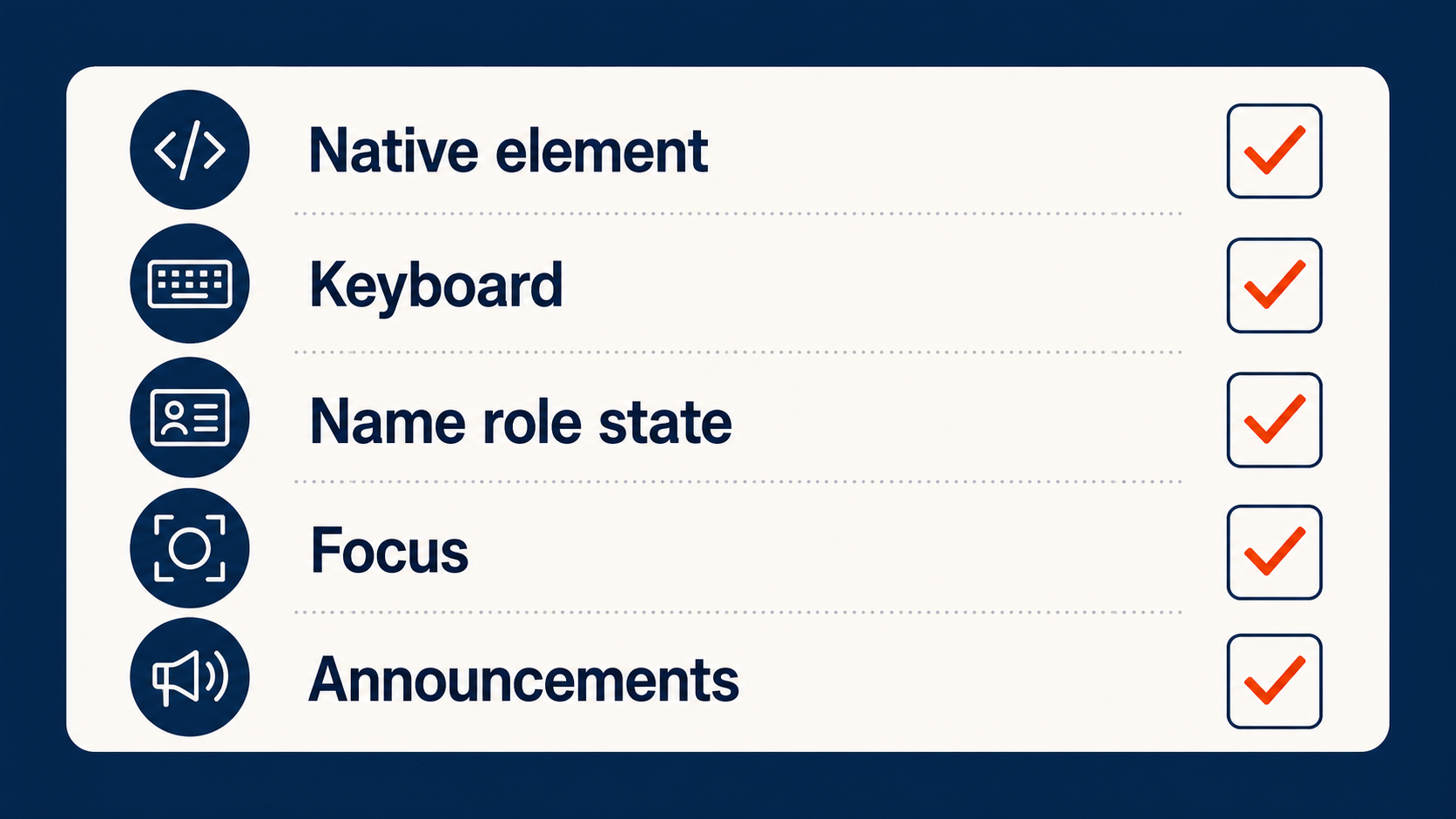
The enforcement layer has to be tooling, not willpower. Automated accessibility checkers like axe-core catch the obvious violations — missing labels, invalid ARIA, color contrast. But the deeper semantic issues require architectural enforcement: component primitives that are accessible by construction, not by convention.
This is where framework-level constraints matter. Foldkit, for instance, uses Scene-level accessible locators that tie UI elements to semantic meaning at the framework level rather than relying on developers (or AI agents) to remember aria attributes on every component [Source: https://foldkit.dev/]. The constraint is built into the abstraction.
When CSS Should Replace the JavaScript
A significant portion of AI-generated JavaScript exists to solve problems that CSS already solves. The AI generates a scroll listener with requestAnimationFrame to build a scroll-linked animation. It generates a ResizeObserver to implement container queries. It generates a JavaScript tooltip library with manual positioning math.
All of these have native CSS solutions in 2026:
| Problem | AI-Generated JS Approach | Native CSS Approach |
|---|---|---|
| Scroll-linked progress bar | scroll listener + rAF + manual percentage calc | animation-timeline: scroll() |
| Tooltip positioning | JS measurement library + manual top/left | anchor-name + position-anchor |
| Card hover that reveals a child | JS state + class toggle | :has(.card:hover .reveal) or nested :has() |
| Element entrance animation | JS IntersectionObserver + class toggle | @starting-style + transition |
| Custom select dropdown | 200 lines of JS + fake ARIA | <select> with appearance: base-select and CSS styling |
The JavaScript versions are longer, more bug-prone, and harder to maintain. They also tend to be what AI agents produce, because the training data is dominated by pre-2024 solutions where these CSS features did not exist or were not widely supported.
Tailwind CSS v4.3’s release is relevant here — it ships first-party scrollbar styling utilities (scrollbar-thumb-*, scrollbar-track-*), additional logical property utilities, zoom and tab-size utilities, and improved @variant support [Source: https://tailwindcss.com/blog/tailwindcss-v4-3]. These are the kinds of features that eliminate JavaScript: scrollbar theming that used to require ::-webkit-scrollbar hacks is now a utility class.
We covered this in depth in a prior post — The JavaScript I Deleted with CSS: A 2026 Survival Guide — so we will not repeat the full catalog here. The point for this discussion is different: when you review AI-generated UI, the first question is not “does this JavaScript work?” The first question is “should this be JavaScript at all?”
A generated IntersectionObserver-based fade-in is correct JavaScript. It is also unnecessary JavaScript. The CSS @starting-style rule handles entrance animations natively, with better performance, no bundle cost, and no cleanup. But the AI will not tell you this, because the AI optimizes for “generate code that works,” not “generate the minimal correct solution.”
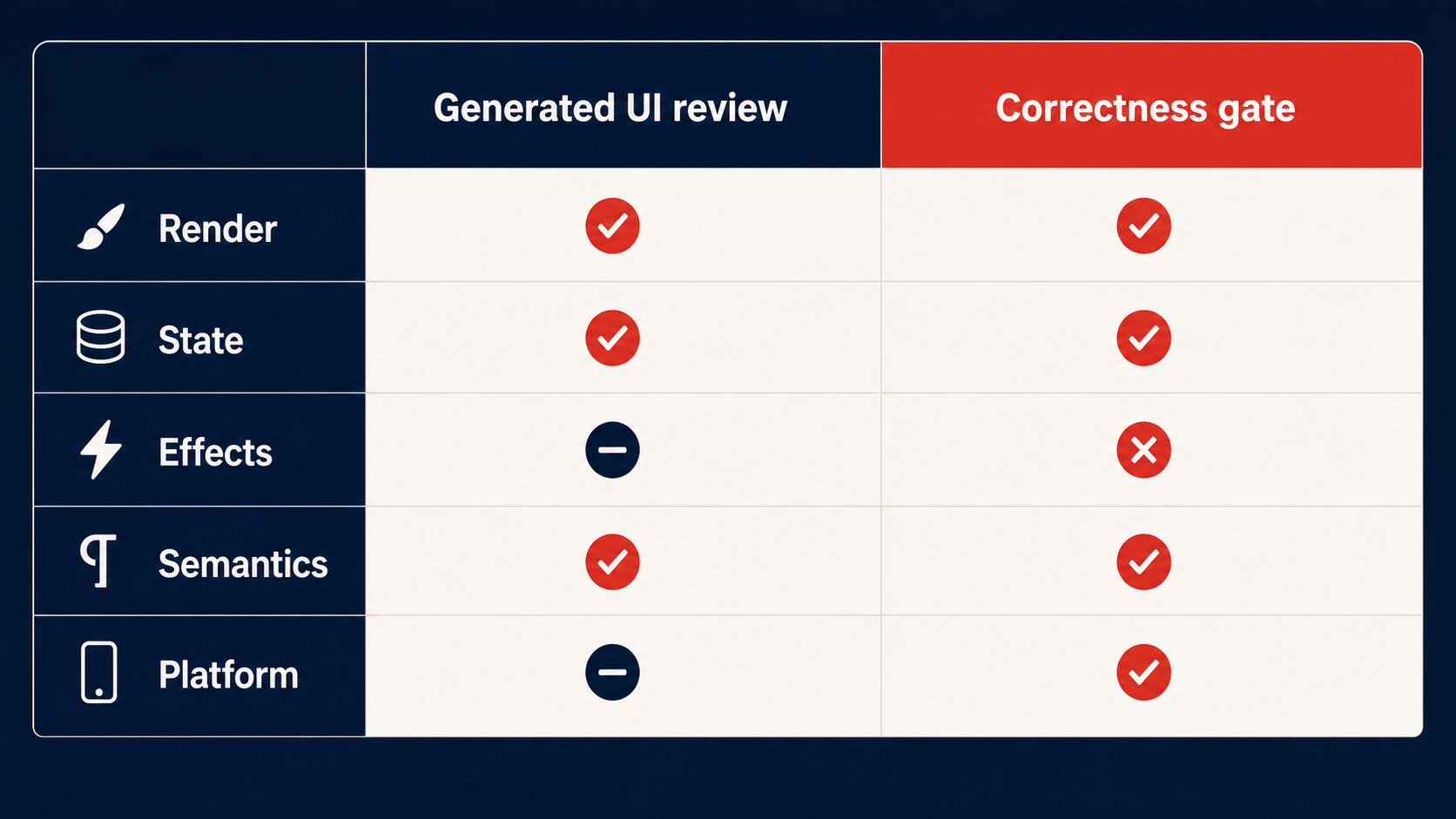
The review checklist for generated UI should include a CSS audit step: for every JavaScript interaction in the generated code, ask whether a CSS property can replace it. If :has() can express the relationship, delete the JavaScript. If animation-timeline: scroll() can drive the animation, delete the JavaScript. If @starting-style can handle the entrance transition, delete the JavaScript.
Less JavaScript means fewer state bugs, fewer cleanup paths, and fewer accessibility gaps. The best generated code is the code you never needed to generate.
Architectures That Make Generated Code Verifiable
The fundamental problem with reviewing AI-generated React code is that React’s component model makes state implicit. State lives in useState calls scattered across components. Effects are coupled to the component lifecycle, not to the business logic. The relationship between “what the user did” and “what happened in the system” is scattered across hooks, context providers, and prop chains.
This is why reviewing generated React code is hard: you cannot verify what you cannot see, and React hides the state machine behind hooks.
Foldkit takes a different approach. It is a TypeScript frontend framework built on Effect-TS, structured around the Elm Architecture: a single model, pure update functions, and explicit commands for side effects [Source: https://foldkit.dev/]. Every state change flows through a Message, and every Message routes through a single update function.
The critical property is this: the same constraints that make Foldkit code correct also make it machine-legible. As the framework’s AI documentation states, “Every Message routes back through update. The same constraints that make your code correct make it machine-legible. An AI that understands this loop can reason about the entire program as a state machine.” [Source: https://foldkit.dev/ai/overview]
When an AI agent generates code in an Elm-architecture framework, the output is inherently more reviewable because the architecture enforces legibility:
| |
Every state transition is a case in a switch statement. Every side effect is a Cmd — an explicit value, not a hidden hook call. The exhaustiveness check in TypeScript verifies that every Message type is handled. There is no cleanup function to forget because effects are declared as commands, not lifecycle callbacks.
This is not a Foldkit advertisement. It is an argument about architecture. The reason generated React code is hard to review is not that the AI is bad at React. It is that React’s implicit state model makes any code — human or machine — harder to verify. When the architecture forces state transitions to be explicit and enumerable, reviewing generated code becomes a mechanical process: read every case in the update function, verify the model transition, confirm the command is correct. You are auditing a state machine, not reverse-engineering one from hooks.
The Foldkit DevTools reinforce this. Because every state change flows through Messages and a single Model, the DevTools can log every Message, inspect every Model state, and replay the command sequence [Source: https://foldkit.dev/]. This is impossible in a mutable-state framework where state changes are scattered across useState setters. The visibility is a property of the architecture, not a feature you bolt on.
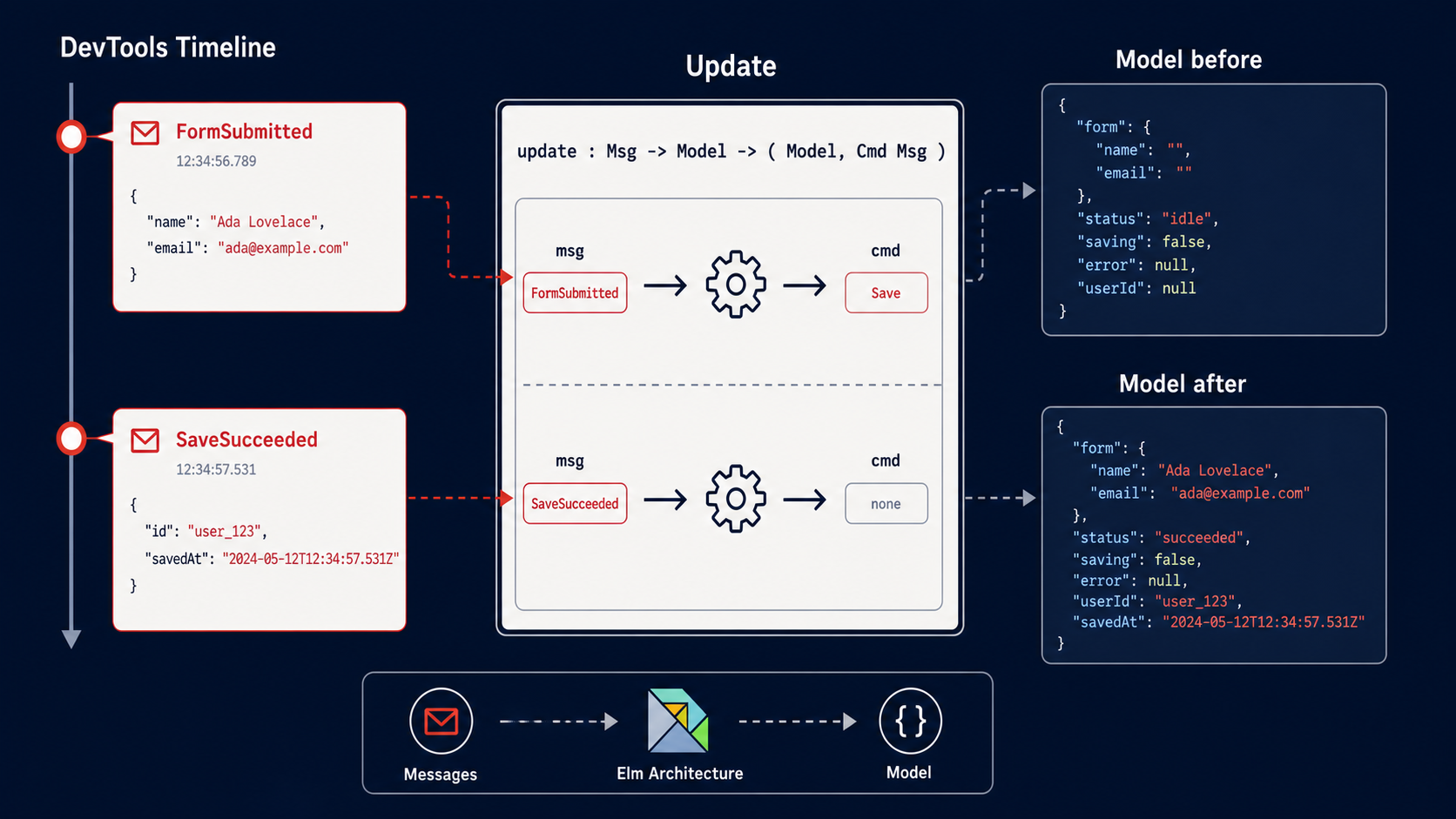
The broader lesson: if you want generated code you can trust, choose architectures that make trust cheap. Unidirectional data flow, explicit state machines, and command-based side effects are not academic preferences. They are practical tools for making generated code reviewable. When the architecture forces correctness, the AI has less room to be wrong, and the reviewer has less surface area to check.
What You Should Do Monday Morning
1. Stop using “it renders” as acceptance criteria. Add a state-machine review step to every PR that contains generated UI code. Enumerate every state the component can be in. Verify that invalid states are unrepresentable — either through discriminated unions, explicit state machines, or framework-level constraints.
2. Run an accessibility audit on every generated component. Use axe-core or an equivalent automated checker in CI. Do not rely on manual review for accessibility — the failure modes are invisible to sighted developers and the generated code fails them consistently [Source: https://frontendmasters.com/blog/ai-generated-ui-is-inaccessible-by-default/].
3. Add an effect-cleanup linter rule. If you are on React, enforce that every useEffect with an event listener or async operation has a cleanup function. This catches the most common generated-code bug before it reaches production.
4. Audit generated JavaScript for CSS replacements. For every scroll listener, IntersectionObserver, ResizeObserver, and manual positioning calculation in generated code, check whether a CSS property — animation-timeline, anchor-name, :has(), @starting-style — can replace it. Delete the JavaScript when CSS works [Source: https://zemna.net/posts/the-javascript-i-deleted-with-css-a-2026-survival-guide/].
5. Evaluate your architecture. If reviewing generated frontend code feels like archaeology — digging through hooks and context to understand what the code does — the problem is the architecture, not the AI. Frameworks that enforce explicit state flow make generated code cheaper to verify. Look at how Foldkit structures state around Messages and update functions [Source: https://foldkit.dev/ai/overview], and ask whether your current stack gives you the same legibility.
6. Write specifications before generating code. The biggest source of generated-code bugs is under-specified requirements. “Build a settings modal” produces a modal with state bugs. “Build a settings modal with these five states, focus trap on open, focus return on close, and abort-on-unmount for the save request” produces code you can review against a contract.
Further Reading
- Foldkit — TypeScript Frontend Framework Built on Effect-TS — The framework’s homepage, covering Elm Architecture, Effect-TS integration, Scene accessible locators, and DevTools.
- Foldkit AI Overview — How the Message/update loop makes programs machine-legible as state machines.
- AI-Generated UI Is Inaccessible by Default — Frontend Masters Blog — Why default AI output fails accessibility and requires systematic enforcement.
- Tailwind CSS v4.3 — Scrollbars, New Colors, and More — First-party scrollbar utilities, logical properties, and other features that replace JavaScript hacks.
- The JavaScript I Deleted with CSS: A 2026 Survival Guide — A catalog of CSS features — anchor positioning,
:has(), scroll-driven animations,@starting-style,base-select— that replace common JavaScript patterns.
Generated UI is not the enemy. Sloppy acceptance criteria are. When the bar is “it renders,” every generated component passes and half of them are wrong. Raise the bar to “it provably handles every state, cleans up every effect, passes accessibility audit, and uses CSS where CSS belongs” — and generated code becomes genuinely useful. The tools are ready. The review process is what needs to catch up.